
What is a Mockup?
What is a Mockup? - everything you need to know

A mockup is a visual representation of a design or product, crafted to showcase its appearance in a realistic setting before it goes into production. Used widely in fields like graphic design, product development, and marketing, mockups allow designers, clients, and stakeholders to see how a final product will look, providing valuable insights and opportunities for feedback before committing to full-scale production.
Mockups are not just sketches or wireframes; they’re often detailed and realistic representations of the final product, offering a near-accurate view of what the end result will look like. Whether you're designing a website, app, physical product, or marketing material, a mockup serves as a tangible preview, bridging the gap between a conceptual idea and the final product.
What is Mockup Design?
Mockup design refers to the process of creating these realistic representations. Designers typically use specialized software like Adobe Photoshop, Sketch, or online tools like Mockey or Canva to craft these visualizations. The purpose is to help both creators and clients make informed decisions, as mockups illustrate the aesthetics and functionality of a design. For example, a mockup of a mobile app will showcase the user interface on a smartphone screen, giving developers a chance to adjust details like spacing, color schemes, and text readability before coding begins.
Mockup design can apply to any industry where visual representation is needed. For e-commerce businesses, mockups might mean visualizing product packaging, logos, or apparel. For digital designers, it could mean showcasing a website or app’s interface.
Why are Mockups Important?
Mockups play a crucial role in design and product development for several reasons:
Visual Clarity: They offer a clear, near-final visual of a design, making it easier for clients and stakeholders to grasp the concept.
Feedback-Friendly: Mockups invite valuable feedback, allowing for refinements before significant investments in production.
Consistency: They help teams align on a cohesive vision for the project, ensuring that all involved parties understand and agree on the design elements and look.
This approach saves time, resources, and potential errors in the final product, as designers can make changes early on.
Mockup Example
To understand how mockups work, let’s look at a few mockup examples across different fields:
App Mockup: Imagine designing a new mobile app. An app mockup might display the app’s interface on an iPhone screen, providing insights into layout, color contrast, and navigation. This visual lets developers, clients, and testers see how users will interact with the app on their device.
Packaging Mockup: For a new food product, a packaging mockup would showcase the design on a realistic-looking package—like a box, bottle, or sticker mockup. Brands use these mockups to test visual elements and branding details, ensuring that they resonate with consumers.
Website Mockup: A website mockup is often a high-fidelity visual of a website layout, displaying elements like buttons, images, and menus on a computer screen. This helps developers see how the site will look and function, identifying any design adjustments needed before coding.
Print Mockup for Marketing: Designers creating a poster, flyer, or business card can use a print mockup to present how the design will appear in real-world conditions. These mockups help clients visualize the final product and request changes if necessary.
How to Create a Mockup
Creating a mockup usually involves design tools or mockup generators. Here’s a step-by-step process:
Select Your Mockup Tool: Choose a tool that fits your skill level and project needs. Adobe Photoshop, Figma, and Canva are popular options for designers, while online platforms like Mockey offer templates for beginners.
Choose a Template or Start from Scratch: If you’re using a tool like Mockey, you can select from various mockup templates—such as those for iPhones, business cards, or t-shirts—based on your product type.
Upload Your Design: Place your design within the mockup frame. Most tools allow you to drag and drop your images, making it easy to visualize your concept.
Adjust and Customize: Modify colors, add shadows, or change the background to create a realistic look. Some platforms allow for detailed customization, like adjusting lighting or applying textures.
Preview and Refine: Take a final look to ensure the design is aligned, clear, and visually appealing. Mockups offer a preview mode to help you assess all details before downloading or sharing.
Mockup Tools
Here are some popular tools for creating mockups:
Photoshop: Allows for highly customizable mockups, ideal for designers familiar with Adobe tools.
Sketch: A tool tailored for interface and web design mockups.
Canva: User-friendly and accessible for beginners, with a wide range of templates.
Mockey: An online tool that simplifies mockup creation with pre-made templates, perfect for quick design projects.
conclusion
mockups are essential assets that simplify the design process, enabling creators to visualize and refine ideas before they reach the production stage. Whether you're developing a new app interface, designing branding materials, or preparing a product for the market, mockups make it easier to see, share, and improve designs. Using a mockup generator, designers can quickly produce professional-quality visuals, allowing for efficient feedback and adjustments. This makes mockup tools invaluable for bringing design concepts to life and aligning them with project goals and client expectations.
also read:
About the Creator
ladali official
I am a content creator with a love for storytelling and turning ideas into visuals that captivate and connect. I focus on creating engaging, high-quality content that speaks to audiences across platforms
Keep reading
More stories from ladali official and writers in Art and other communities.
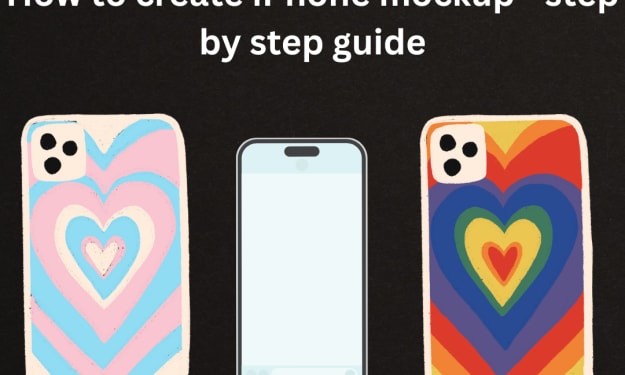
How to Create iPhone Mockup - Step by step guide
If you’re a designer, marketer, or app developer, you know the importance of showcasing your digital product in a way that looks professional and visually engaging. An iPhone mockup does exactly that—it puts your app, website, or digital artwork into a realistic setting, helping your audience visualize it in use. In this guide, we'll walk you through how to create an eye-catching iPhone mockup, step-by-step.
By ladali officialabout a year ago in Art
2026 Commercial Space Design:How Fbierglass Sculpture Drives Traffic
Today, offline commercial spaces are facing continuous pressure. With e-commerce offering convenient and fast services, physical stores must showcase unique features to attract customers. In this context, fiberglass sculptures are no longer merely decorative items; they have become visual focal points in shopping malls, brand stores, pop-up shops, and mixed-use commercial projects, playing a crucial role in increasing foot traffic.
By Shenzhen Ruiheng Crafts5 days ago in Art
Why Strategic Branding Is Essential for Long-Term Business Growth
In today’s fast-paced digital environment, businesses face constant pressure to stand out. Consumers are exposed to endless choices every day, making attention harder to earn and trust harder to keep. While quality products and services are important, they are no longer the only factors that determine success. Strategic branding plays a key role in helping businesses grow steadily and remain relevant over time.
By Ayush Bagwari5 days ago in Art



Comments
There are no comments for this story
Be the first to respond and start the conversation.